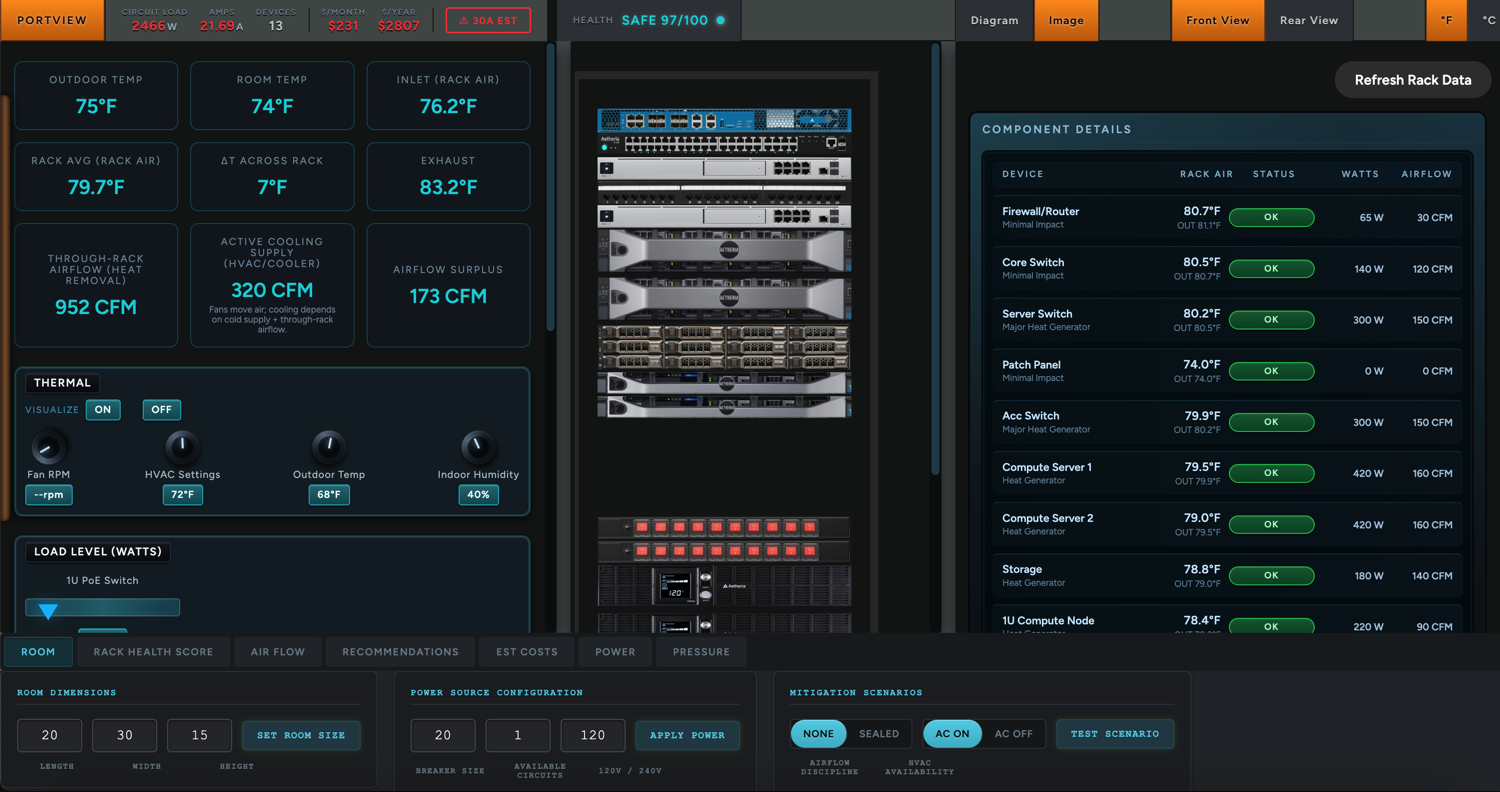
Complete Rack Safety and Device Intelligence.
Infrastructure has no undo button. Simulate everything before you commit. Essentials takes the setup you built in Aetheria Studio and puts it through its paces, so you know exactly what will happen before a single dollar is spent.
- Upload your exact hardware. No generic placeholders
- Simulate heat, airflow, and breaker load before you build
- Deep dive every device; ports, VMs, drives, and network paths
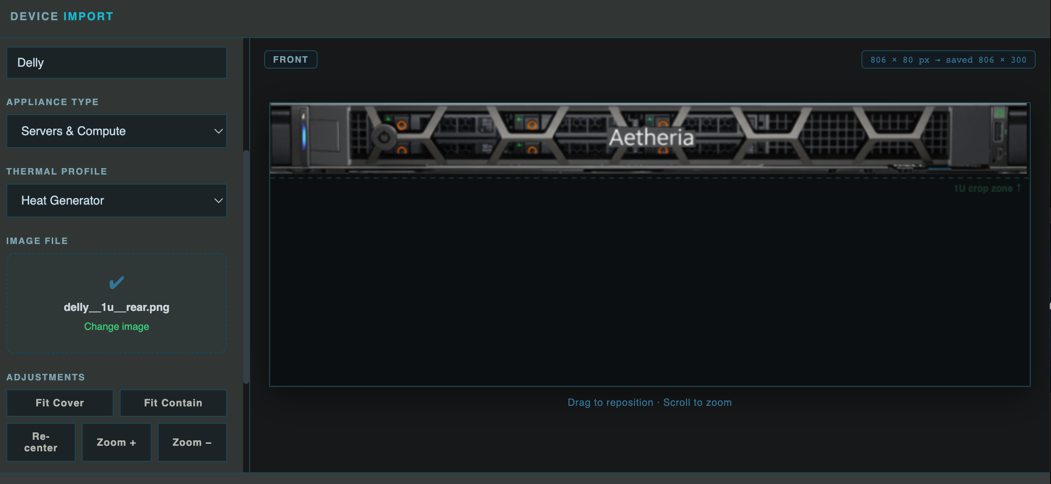
No More Generic Placeholders.
Upload your exact hardware so every simulation reflects your real world setup. Not a stand-in that looks nothing like what's sitting in your cabinet. Your infrastructure, represented exactly as it is.
- Upload any device photo and map it to a category
- Sits alongside 25 pre-built photorealistic devices
- Every simulation runs against your actual hardware
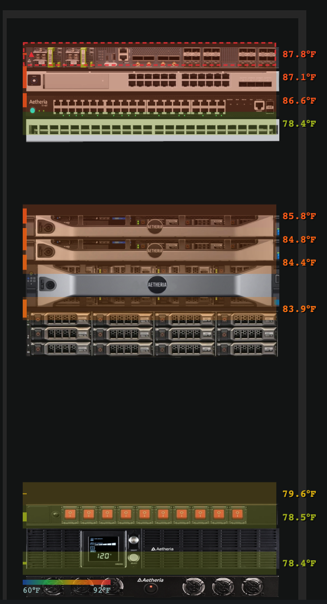
No More Hot Spots.
See exactly where heat builds up before your hardware pays the price. Heat doesn't distribute evenly... it stacks, recirculates, and concentrates. Essentials shows you precisely where temperatures rise across your setup and room.
- Per-device and per-U thermal modeling
- Hotspot and recirculation detection
- Airflow-aware physics, not guesswork
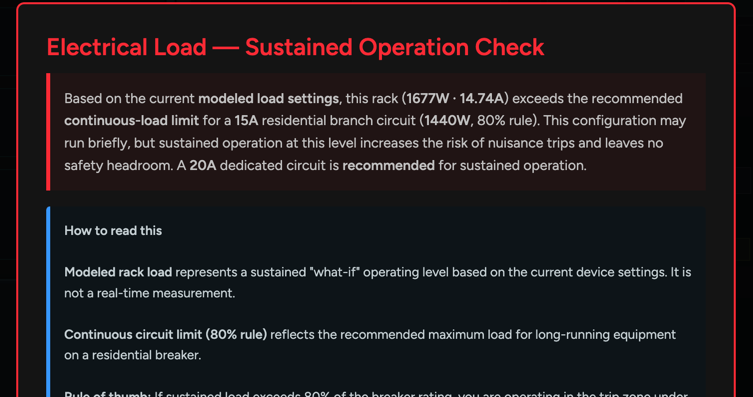
No More Tripped Circuits.
Know your exact power draw before you flip a single switch. Most home lab failures are electrical, not computational. Essentials models sustained amperage, peak draw, and circuit capacity so you never discover your limits mid-run.
- Real circuit and breaker validation
- PDU and power distribution stress testing
- Peak-load awareness for GPU bursts
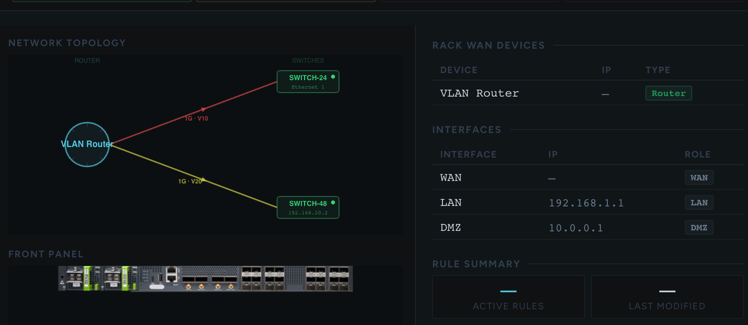
No More Guessing.
Every port, every connection, every network path, mapped and visible in one place. Drill into any appliance in your setup and see exactly how it connects to everything around it.
- Power connection and port mapping per device
- LAN and full network path visibility
- Understand every dependency before you touch it
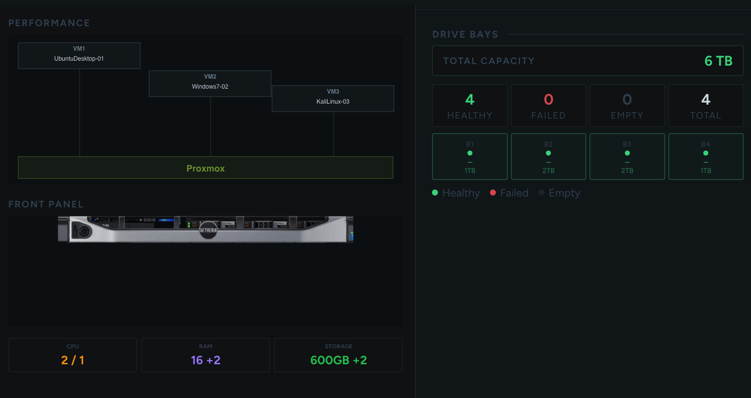
No More Surprises.
Plan your entire VM and storage layout before you commit to hardware. Map out every virtual machine and drive configuration per device so your setup is fully understood before anything gets installed.
- Per-device VM and storage planning
- Visual drive bay mapping and assignment
- Understand capacity and configuration before you build
From Static Setup to Live Simulation in Minutes.
See how a planned layout becomes a full simulation — complete with warnings, health scores, and real-world recommendations before a single cable is run.
Watch on YouTube